
Real Estate CRM Automation: A Practical Guide
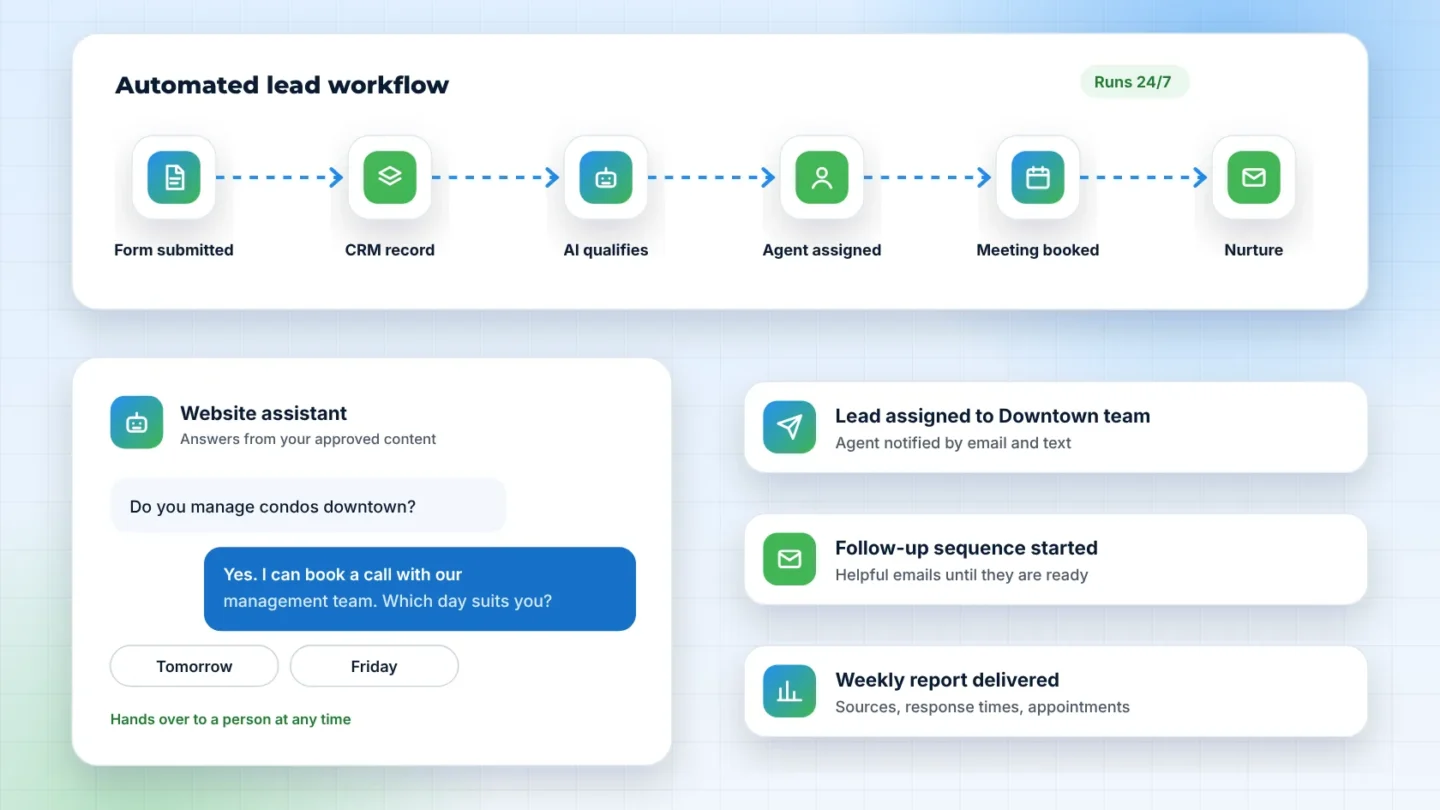
A CRM only helps if it reflects what is really happening with your leads and clients. In many real estate businesses it does not, because keeping it up to date depends on busy people remembering to do it. Automation fixes that by doing the routine updates and reminders for you. Here is a practical way to approach it.
Step 1: Map your lead journey
Write down every stage a lead passes through, from first inquiry to closed deal or signed management agreement. Keep the list short. Typical stages are new, contacted, qualified, appointment, proposal or listing presentation, and won or lost. Each stage should mean one clear thing to everyone on the team.
Step 2: Capture every lead automatically
Connect your website forms, booking tool, ad forms, and any portal notifications so they create or update CRM records without manual entry. Record the source of every lead. This is the foundation for everything else.
Step 3: Automate the first response
An immediate, personal acknowledgment tells prospects they have been heard and what happens next. Include a link to book a time if that suits your process.
Step 4: Route and remind
Assign each lead to a person based on clear rules, such as area, property type, or rotation, and notify them straight away. Create a follow-up task automatically, and alert a manager if the lead is not handled within the time you set.
Step 5: Nurture the not-ready-yet
Many real estate prospects are months away from a decision. Rather than letting them go cold, place them in a nurture sequence with helpful content: market updates, guides, and occasional personal check-ins.
Step 6: Report on what matters
Build a simple dashboard that answers a few questions: how many leads came in, from where, how quickly they were answered, and how many became appointments and clients. Review it monthly.
Common mistakes to avoid
- Automating a messy process. Simplify the stages first.
- Too many fields. Ask only for what you use.
- Sending messages that sound robotic. Write as your team would speak.
- Building everything at once. Start with capture and first response, then expand.
- Forgetting consent and privacy. Follow the rules that apply to your market.
Which tools?
HubSpot is a solid general-purpose CRM for many real estate businesses, Calendly handles scheduling well, and n8n can connect almost any tools together. Many industry-specific real estate CRMs also offer good automation. The right choice depends on your team, your existing tools, and how you work.
Want help designing your CRM workflows? See our AI and CRM automation services or book a free strategy call.